Zaznacza manipulację w sieci i zawsze mówi dlaczego.Flags manipulation online and always tells you why.
Wtyczka do przeglądarki. Oznacza clickbait, fałszywe strony, obrazy z AI i zmanipulowane fakty na stronie, którą właśnie czytasz.A browser extension. It marks clickbait, fake sites, AI images and manipulated facts on the page you are reading.
Plik .zip, instalacja ok. minuty · działa też w Edge, Brave i Operze · po polsku i angielsku.zip file, installs in about a minute · also works in Edge, Brave and Opera · Polish and English
To wtyczka na komputer. Otwórz tę stronę na komputerze w Chrome, Edge, Brave albo Operze i stamtąd ją zainstaluj.This is a desktop extension. Open this page on a computer in Chrome, Edge, Brave or Opera and install it from there.
Portal informacyjnyNews siteprzykładexample
Wszedł do kuchni i zamarł. To, co zobaczył w lodówce, zmienia wszystkoHe walked into the kitchen and froze. What he saw in the fridge changes everything
Lifestyle · 2 godz. temuLifestyle · 2 hours ago
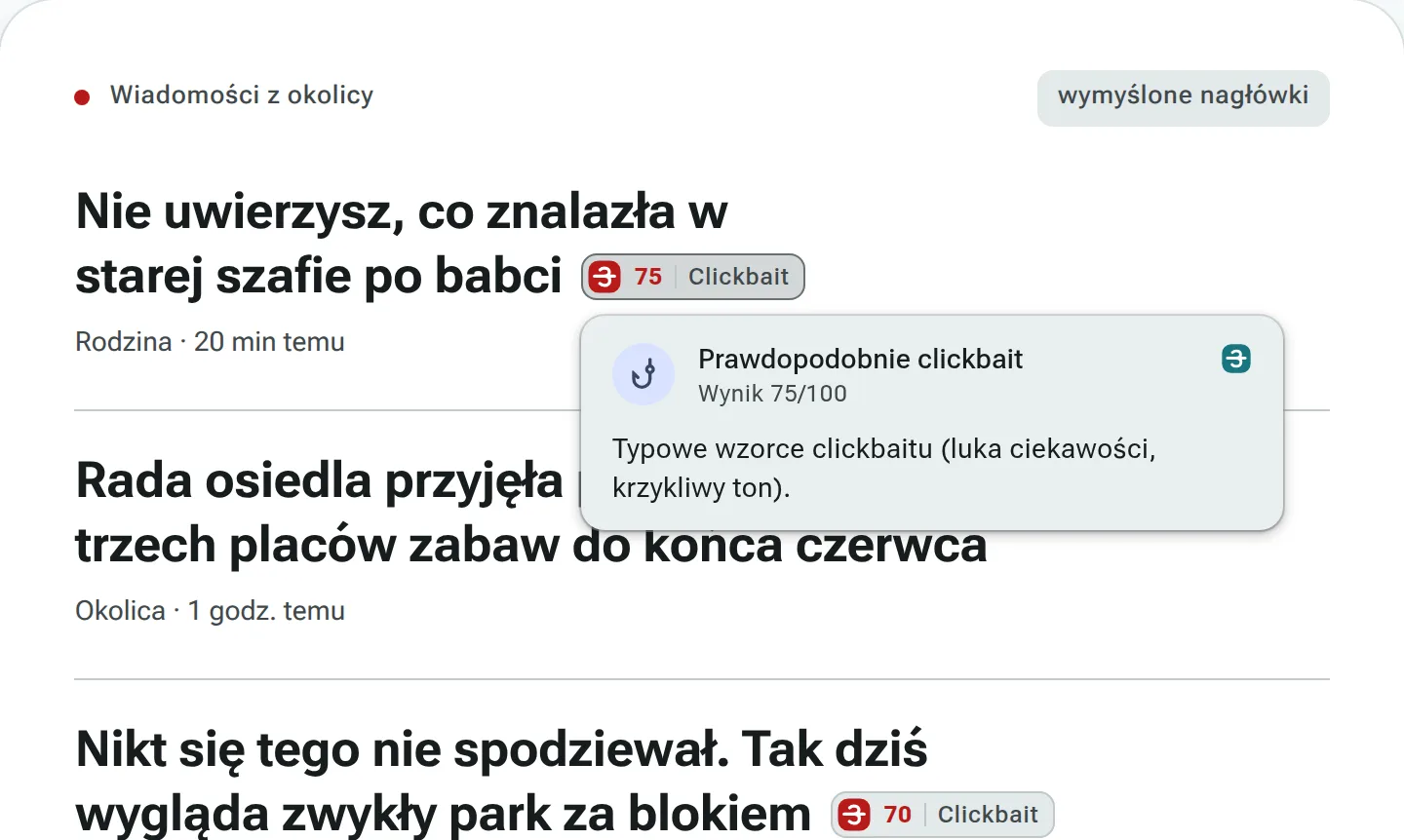
Prawdopodobnie clickbaitLikely clickbait
Wynik 75/100Score 75/100
Nagłówek buduje napięcie, ale nie mówi, kto, gdzie ani co właściwie znalazł. Najważniejsza informacja jest ukryta, żeby skłonić do kliknięcia.The headline builds suspense but doesn't say who, where, or what was actually found. The key fact is hidden to make you click.
Pokaz na wymyślonych nagłówkach.A demo on made-up headlines.
Skąd te powody?Where do these reasons come from?
Plakietka i dymek wyglądają jak we wtyczce; powody w pokazie to przykładowe odpowiedzi modelu językowego, zapisane w tej stronie.The badge and the card look exactly like in the extension; the reasons shown here are sample answers from the language model, stored in this page.
Cztery rodzaje manipulacji. Każde ostrzeżenie z powodem.Four kinds of manipulation. Every warning comes with a reason.
Instalujesz i normalnie przeglądasz internet. Wtyczka wysyła do naszego serwera to, co trzeba ocenić, a wynik pokazuje w miejscu, którego dotyczy.Install it and browse as usual. The extension sends what needs checking to our server and shows the result right where it applies.
Nagłówki-przynęty dostają plakietkęBait headlines get a badge
Przy przynęcie pojawia się wynik od 0 do 100, a dymek mówi, czym nagłówek wabi.Bait gets a score from 0 to 100, and the card tells you how the headline lures you in.
Od jakiego wyniku plakietka, ustawiasz sam w okienku wtyczki: Ustawienia → Czułość clickbaitu.You set the score that shows a badge in the extension popup: Settings → Clickbait sensitivity.czułasensitive60standardbalanced70(domyślnie)(default)tylko pewnestrict80
(Polish interface)
Fałszywa strona zatrzymana, zanim wpiszesz hasłoA fake site stopped before you type your password
Gdy adres podszywa się pod znaną markę, wtyczka wstrzymuje wczytywanie i pokazuje prawdziwy adres.When an address impersonates a well-known brand, the extension stops the page from loading and shows the real address.
OtwieraszYou open
steampowered-gift.icu
PrawdziwaReal site
steampowered.com
(Polish interface)
Obrazy z AI dostają chipAI images get a chip
Obraz, który prawdopodobnie stworzyła AI, dostaje chip. To szacunek, nie dowód, i chip mówi to wprost.An image that AI probably made gets a chip. It's an estimate, not proof, and the chip says so.
Spróbuj na własnym obrazieTry it on your own image
Upuść obraz albo wybierz plikWybierz obraz, a sprawdzimy, czy wygląda na wygenerowany przez AI.Drop an image or choose a fileChoose an image and we'll check whether it looks AI-generated.
(Polish interface)
Fakty sprawdzone ze źródłemFacts checked against a source
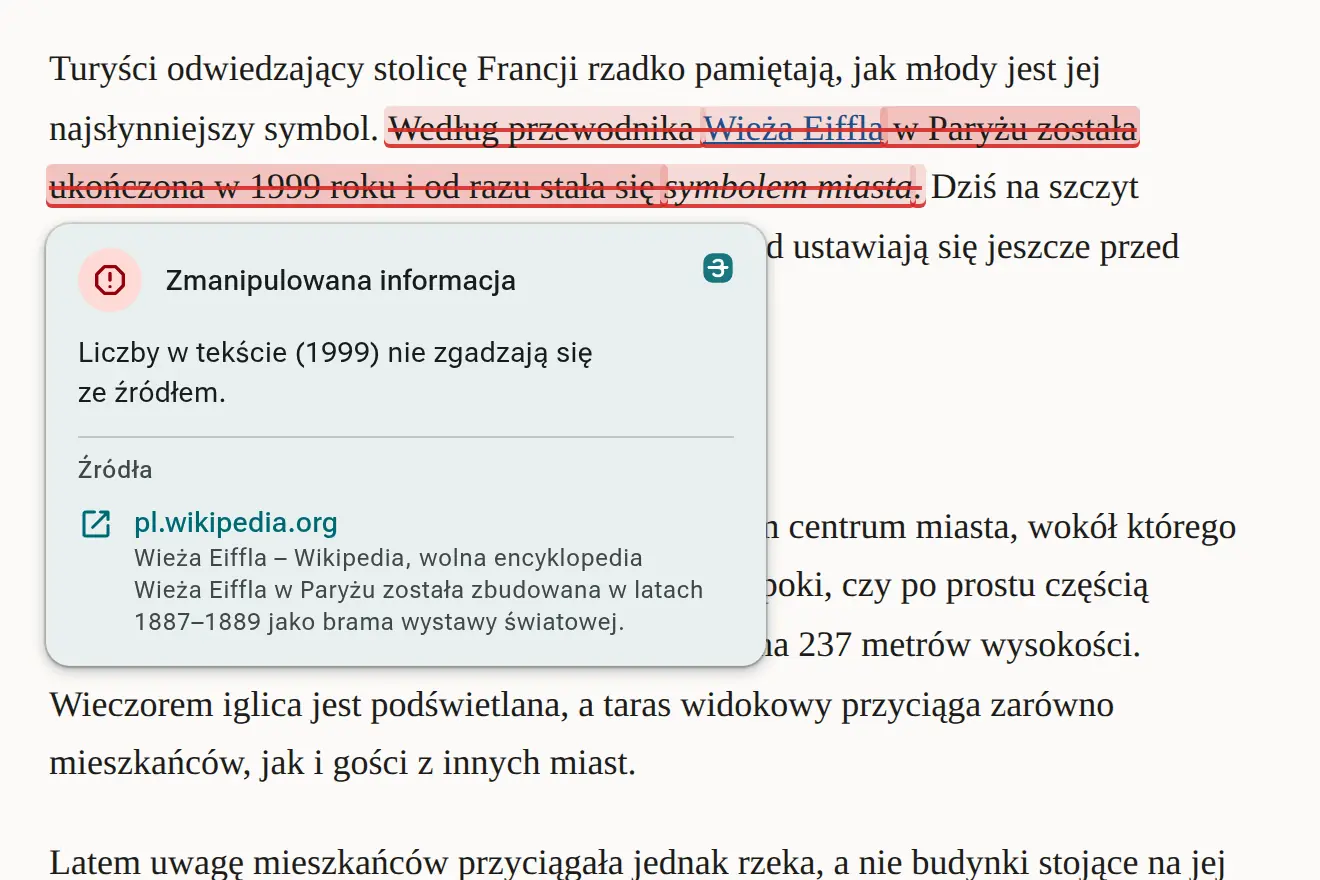
Twierdzenia z artykułu porównujemy z zaufanymi źródłami. Bez dowodu wtyczka nic nie zaznacza.Claims in the article are compared with trusted sources. No evidence, no mark.
przekreśleniestrike-throughzmanipulowane, z linkiem do źródłamanipulated, with a link to the source
podkreślenieunderlineprawda, ale brakuje kontekstutrue, but missing context
Zrzuty pochodzą z wtyczki; część z wersji testowej, połączonej z serwerem uruchomionym lokalnie.Screenshots come from the extension; some from the test build, connected to a locally run server.
Twoje daneYour data
Żeby ocenić stronę, wtyczka musi wysłać jej fragmenty na nasz serwer. Najpierw najważniejsze, pełne szczegóły niżej.To judge a page, the extension has to send parts of it to our server. The essentials first, full details below.
Haseł ani tego, co wpisujesz w formularze, wtyczka nie wysyła.It never sends passwords or what you type into forms.
Wyłączona funkcja nie wysyła niczego do serwera.A disabled feature sends nothing to the server.
Obrazy sprawdza nasz serwer: podpis C2PA, usługa OpenAI rozpoznająca obrazy z narzędzi OpenAI i nasz model. Do modelu językowego nie trafiają.Images are checked by our server: the C2PA signature, an OpenAI service that recognises images made with OpenAI tools, and our own model. They never reach the language model.
Szczegóły: co wysyła, dokąd trafia, co zostaje na serwerzeDetails: what it sends, where it goes, what stays on the server
Co wysyłaWhat it sends
Tylko to, co ocenia: nazwę domeny otwartej strony, nagłówki, akapity artykułów i obrazy, przy trzech ostatnich także adres strony, na której są. Haseł ani tego, co wpisujesz w formularze, nie wysyła, a na stronach z polem hasła nie sprawdza artykułu.Only what it checks: the domain name of the open page, headlines, article paragraphs and images, the last three together with the address of the page they are on. It never sends passwords or what you type into forms, and it skips article checks on pages with a password field.
Dokąd trafiaWhere it goes
Na serwer Fak3Buster, który stoi u członka naszego zespołu w Polsce. Ruch przechodzi przez Cloudflare, który zapewnia szyfrowane połączenie (HTTPS). Teksty serwer przekazuje do modeli językowych GLM-5.3 Flash albo DeepSeek przez usługę OrcaRouter. Obraz bez podpisu C2PA wskazującego AI serwer wysyła do usługi OpenAI Content Provenance, która rozpoznaje obrazy z narzędzi OpenAI; gdy ona nic nie znajdzie, obraz ocenia model na naszym serwerze. Do modelu językowego obrazy nie trafiają. Jak OpenAI traktuje dane przesłane przez API, opisuje strona OpenAI o danych.To the Fak3Buster server, which runs at a team member's place in Poland. Traffic goes through Cloudflare, which provides the encrypted (HTTPS) connection. The server passes texts to the GLM-5.3 Flash or DeepSeek language models through the OrcaRouter service. An image without a C2PA signature pointing to AI is sent by the server to the OpenAI Content Provenance service, which recognises images made with OpenAI tools; if it finds nothing, the image is judged by a model on our own server. Images never reach the language model. How OpenAI handles data sent through its API is described on OpenAI's data page.
Co zostaje na serwerzeWhat stays on the server
Wyniki ocen, żeby nie pytać modelu dwa razy: dla domeny przez 6 godzin, nagłówka 7 dni, artykułu dobę, obrazu 30 dni. Samych obrazów serwer nie zapisuje. Dziennik systemowy serwera notuje adres IP, z którego przyszło zapytanie, i jego ścieżkę, a przy sprawdzaniu faktów także wybrane do sprawdzenia zdania; stare wpisy usuwa według domyślnych ustawień systemu.Check results, so the model isn't asked twice: 6 hours for a domain, 7 days for a headline, a day for an article, 30 days for an image. The server does not store the images themselves. The server's system log records the IP address a request came from and its path, and for fact checks also the sentences picked for checking; old entries are removed according to the system's default settings.
Instalacja krok po krokuInstall, step by step
Wtyczki nie ma jeszcze w Chrome Web Store, więc instalujesz ją z pliku. Zajmuje to około minuty.The extension isn't in the Chrome Web Store yet, so you install it from a file. It takes about a minute.
Instalujesz na komputerze. Wyślij sobie link do tej strony i otwórz go w Chrome, Edge, Brave albo Operze.You install it on a computer. Send yourself the link to this page and open it in Chrome, Edge, Brave or Opera.
Pokaż instrukcję: 5 krokówShow the instructions: 5 steps
1Pobierz plikDownload the file
Paczka fak3buster-chrome.zip trafi do folderu Pobrane.The fak3buster-chrome.zip package lands in your Downloads folder.
Kliknij plik prawym przyciskiem i wybierz „Wyodrębnij wszystkie”. Na macOS wystarczy dwukrotnie kliknąć plik .zip, a na Linuksie wybrać „Rozpakuj tutaj”.Right-click the file and choose “Extract All”. On macOS, just double-click the .zip file; on Linux, choose “Extract Here”.
Nie usuwaj potem tego folderu. Przeglądarka czyta wtyczkę właśnie z niego; bez folderu wtyczka przestanie działać.Don't delete that folder afterwards. The browser loads the extension from it; without the folder the extension stops working.
3Włącz tryb deweloperaTurn on Developer mode
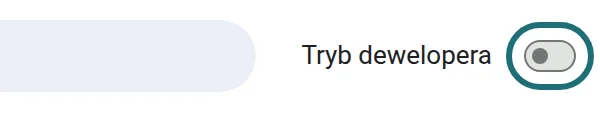
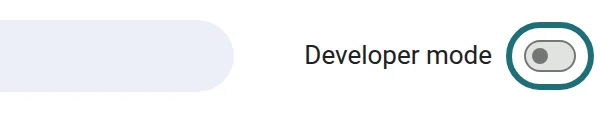
Wpisz w pasku adresu poniższy adres i w prawym górnym rogu włącz „Tryb dewelopera”. To przełącznik Chrome, który pozwala wczytać wtyczkę z folderu zamiast ze sklepu.Type the address below into the address bar and switch on “Developer mode” in the top-right corner. It's a Chrome switch that lets you load an extension from a folder instead of the store.
chrome://extensions
Czy to bezpieczne?Is this safe?
Tryb dewelopera jest potrzebny tylko dlatego, że wtyczki nie ma jeszcze w Chrome Web Store.Developer mode is needed only because the extension isn't in the Chrome Web Store yet.
Wtyczka nie wysyła haseł ani tego, co wpisujesz w formularze. Co dokładnie wysyła, opisujemy w części Twoje dane.The extension never sends passwords or what you type into forms. What exactly it sends is described in Your data.
Chrome napisze w szczegółach wtyczki, że może ona czytać i zmieniać dane na wszystkich stronach: potrzebuje tego, żeby stawiać oznaczenia na każdej stronie i pobierać obrazy do oceny.In the extension's details Chrome says it can read and change data on all sites: it needs that to place marks on any page and to fetch images for checking.
Wyłączysz ją w każdej chwili: na jednej stronie przełącznikiem w okienku wtyczki, a całą przełącznikiem przy jej kafelku w chrome://extensions. Tam też ją usuniesz.You can turn it off anytime: for one site with the switch in its popup, or entirely with the switch on its tile in chrome://extensions. You can remove it there too.
Przełącznik w prawym górnym rogu strony chrome://extensions.The switch in the top-right corner of chrome://extensions.
4Załaduj rozpakowaneLoad unpacked
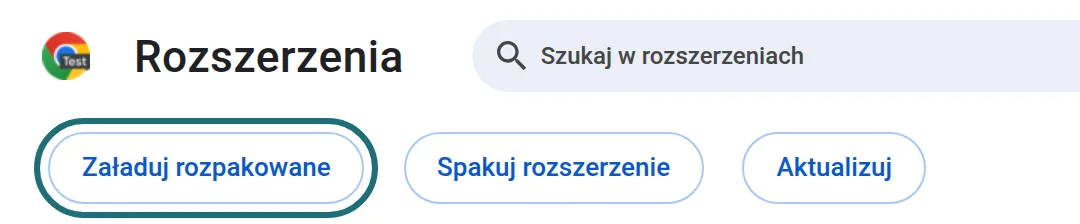
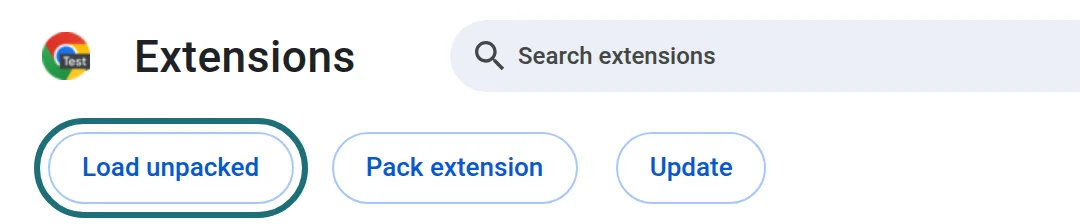
Po włączeniu trybu dewelopera pojawi się przycisk „Załaduj rozpakowane”, czyli: wczytaj wtyczkę z folderu na dysku. Kliknij go i wskaż rozpakowany folder fak3buster-chrome, czyli ten, który powstał w kroku 2.With Developer mode on, a “Load unpacked” button appears, meaning: load an extension from a folder on your disk. Click it and pick the unzipped fak3buster-chrome folder, the one you got in step 2.
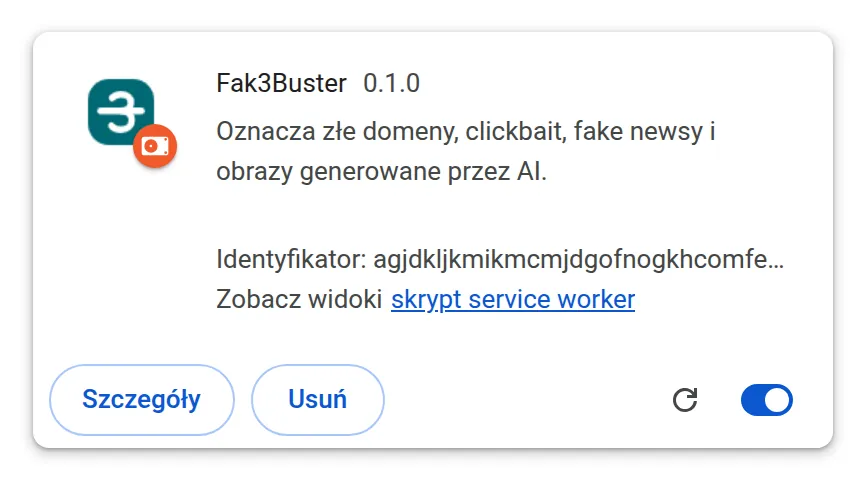
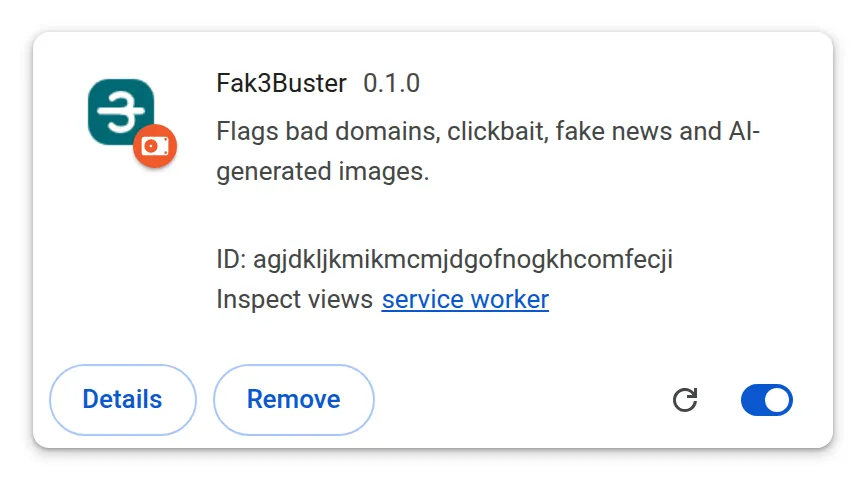
Na liście pojawi się kafelek wtyczki. Przypnij jej ikonę do paska (ikona puzzla obok paska adresu), żeby widzieć liczniki.The extension's tile appears in the list. Pin its icon to the toolbar (the puzzle icon next to the address bar) to see the counters.
Po ponownym uruchomieniu Chrome może pokazać ostrzeżenie o rozszerzeniach w trybie dewelopera. To normalne przy instalacji z pliku: zamknij komunikat, a Fak3Buster działa dalej.After a restart, Chrome may warn you about developer-mode extensions. That's normal for an extension installed from a file: close the message and Fak3Buster keeps working.
Prawdziwe zrzuty strony chrome://extensions.Real screenshots of chrome://extensions.
5Sprawdź, czy działaCheck that it works
Otwórz naszą stronę testową z kilkoma wymyślonymi nagłówkami. Po około 10 sekundach przy przynętach pojawią się plakietki.Open our test page with a few made-up headlines. After about 10 seconds the bait ones get badges.
Nie widzę przycisku „Załaduj rozpakowane”I can't see the “Load unpacked” button
Przycisk pokazuje się dopiero po włączeniu „Trybu dewelopera” w prawym górnym rogu strony chrome://extensions (krok 3).The button only shows up after you switch on “Developer mode” in the top-right corner of chrome://extensions (step 3).
Chrome pisze o błędzie manifestuChrome reports a manifest error
Wskazany folder jest o poziom za wysoko. Otwórz rozpakowany folder i wybierz ten, w którym bezpośrednio leży plik manifest.json.You picked a folder one level too high. Open the unzipped folder and choose the one that directly contains manifest.json.
Po restarcie Chrome ostrzega o rozszerzeniach w trybie deweloperaAfter a restart Chrome warns about developer-mode extensions
To normalne dla każdej wtyczki instalowanej z pliku. Zamknij komunikat; Fak3Buster działa dalej.That's normal for any extension installed from a file. Close the message; Fak3Buster keeps working.
AktualizacjaUpdating
Wtyczka zainstalowana z pliku nie aktualizuje się sama. Gdy wyjdzie nowa wersja, Fak3Buster pokaże strzałkę na swojej ikonie i przycisk „Pobierz” w okienku.An extension installed from a file doesn't update itself. When a new version is out, Fak3Buster shows an arrow on its icon and a “Download” button in its pop-up.
Pobierz nową paczkę i rozpakuj ją w to samo miejsce, zastępując pliki w folderze fak3buster-chrome. Potem na stronie chrome://extensions kliknij ikonę odświeżania ⟳ na kafelku Fak3Buster. Ustawienia zostają.Download the new package and unzip it to the same place, replacing the files in the fak3buster-chrome folder. Then, on chrome://extensions, click the reload icon ⟳ on the Fak3Buster tile. Your settings stay.
W Edge, Brave i Operze kroki są te same, tylko na ich stronie rozszerzeń (np. edge://extensions). Wersja dla Firefoksa jest w przygotowaniu.In Edge, Brave and Opera the steps are the same on their own extensions page (e.g. edge://extensions). A Firefox version is in the works.
Po instalacji otwórz stronę testową i zobacz pierwszą plakietkę.After installing, open the test page and see your first badge.
Strona testowa ma kilka wymyślonych nagłówków. Po około 10 sekundach przy przynętach pojawią się plakietki takie jak ta, a kliknięcie pokaże powód.The test page has a few made-up headlines. After about 10 seconds the bait ones get badges like this one, and a click shows the reason.
To wtyczka na komputer. Otwórz tę stronę na komputerze i stamtąd ją zainstaluj.This is a desktop extension. Open this page on a computer and install it from there.
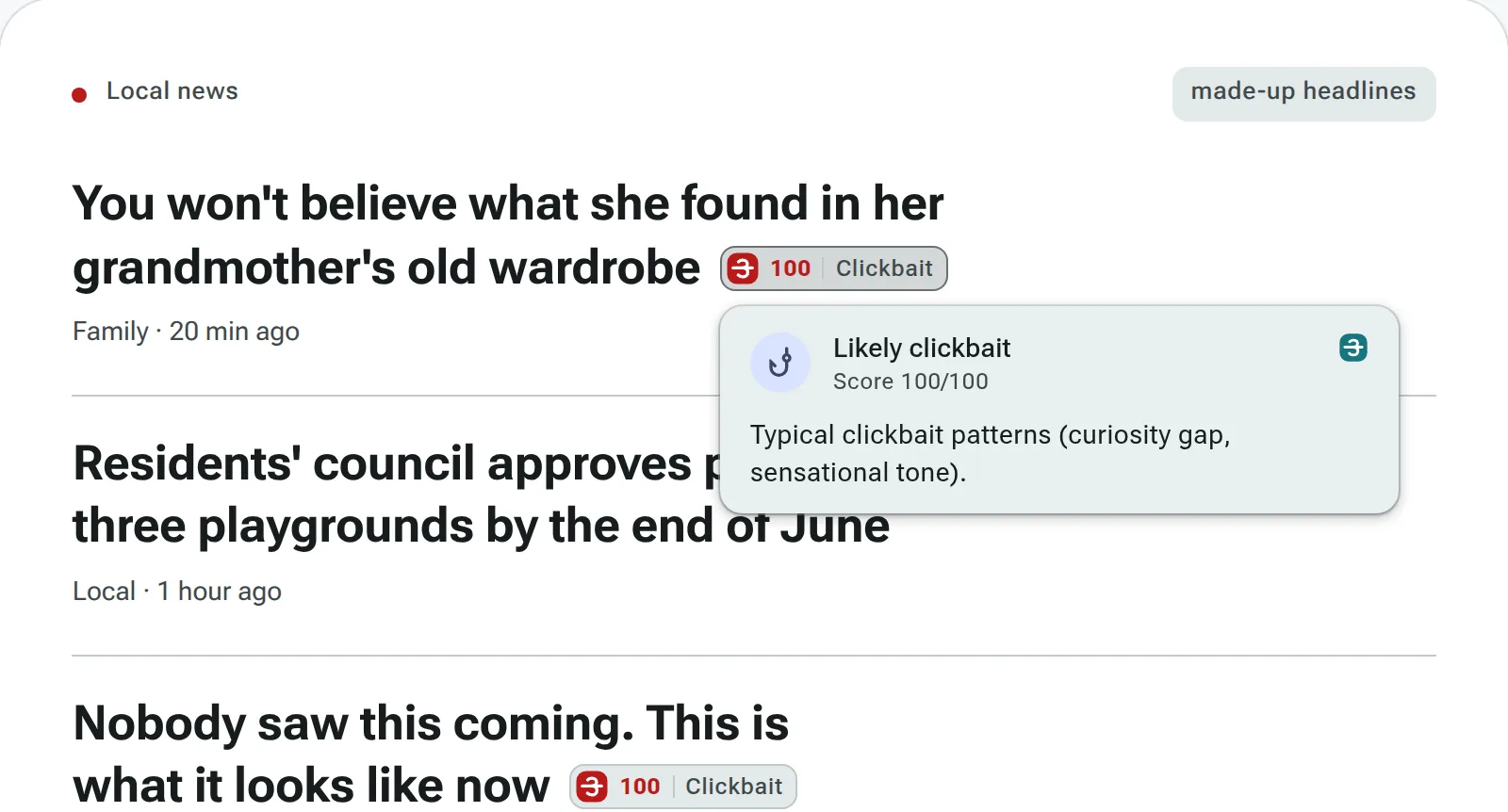
Nie uwierzysz, co znalazła w starej szafie po babciYou won't believe what she found in her grandmother's old wardrobe75Clickbait
Rodzina · 20 min temuFamily · 20 min ago
Nagłówek ze strony testowej z plakietką.A headline from the test page, with its badge.
Pobierasz fak3buster-chrome.zip. Teraz rozpakuj plik i włącz tryb dewelopera.Downloading fak3buster-chrome.zip. Next: unzip it and turn on Developer mode.